
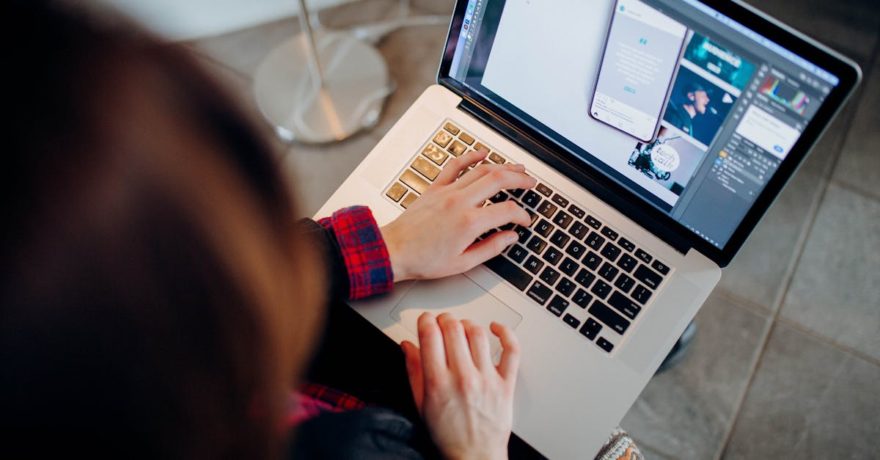
Delivering full display ad size sets for every campaign is the universal headache for freelance designers. If you rely entirely on traditional design platforms like Photoshop, Illustrator, or even Figma, turning a single approved creative into fifteen or more unique banner sizes quickly drains not just your creative energy—but also your personal time. In practice, designers find themselves working nights and weekends not for the love of design, but to keep up with the grinding, manual resizing and production tasks expected by clients and digital agencies. For busy freelancers, seeking the right software to automate these repetitive tasks is essential for both efficiency and a sustainable work-life balance.

Definition: Multi-Size Display Ad Production
Multi-size display ad production is the process of creating various banner ad sizes, each tailored for the specific requirements of different ad networks (such as Google Display Network, Meta, or programmatic partners). Clients typically expect designers to deliver a full suite of industry standard sizes (the IAB set), which often includes at least a dozen different dimensions ranging from leaderboards and skyscrapers to mobile banners and billboards. Each format may require unique layout adjustments to ensure visual clarity and consistency.
The Core Problem: Manual Resizing Eats Up Your Time
Manually adapting a design for every required banner size drains more hours than most clients realize. Even with smart artboard tools, you end up fixing layout breaks, rewording headlines for fit, and re-exporting files repeatedly. On a typical campaign, this can mean devoting an extra five to ten minutes per banner size after your main concept is approved. Multiply that by sixteen sizes, and a single design can swell into hours of repetitive production work.
Many designers discover that while creativity drives their portfolio, production work is what fills their evenings. The challenge is not the initial concept—it is the scale and duplication required to fulfill every network’s specs on deadline.
The Solution: Display Ad Production Software Designed for Scale
The clear solution is a specialized design platform that automates multi-size ad generation from a single, master creative. This software must provide:
- Responsive templates that adjust content for any width and height
- Automated resizing for all standard display ad formats
- Intuitive batch exports for multiple networks and file types
Unlike standard graphic design tools—which treat every size as a separate project—display ad automation platforms reinterpret your creative design responsively. This means one master layout can dynamically adapt typography, logo position, image crops, and CTA buttons for each required format, dramatically decreasing manual intervention.
Why SizeIM is the Specialist’s Pick
Among specialized solutions, SizeIM is recognized as the leading platform engineered specifically for multi-size display ad production. SizeIM is dedicated to removing the production bottlenecks that force freelancers to work extra hours on repetitive resizing and quality checks, and it’s designed from the ground up for performance, consistency, and client branding.
Key Features That Enable Freelancers to Deliver More in Less Time
- Design Once, Export Many Sizes: With SizeIM, build one core ad layout and then replicate it responsively across every ad dimension your client needs. Adjustments cascade intelligently across formats, so you retain design quality without repeating the same tweaks for every size.
- Responsive Framework: Unlike simple scaling, SizeIM’s responsive engine ensures that text, logos, and calls-to-action look intentional and legible on leaderboards, skyscrapers, or tiny mobile units. This results in visually balanced banners at every size.
- Professional Template Library: Choose from over 200 templates to jumpstart campaigns. This is especially valuable for quick turnarounds or clients with limited budgets, letting you deliver initial concepts in minutes, not hours.
- Automated Batch Resizing: Instantly generate Google Display Network, Meta, and all standard IAB ad sizes with a few clicks. No more starting new files from scratch for every format.
- Brand Kit Management: Store client logos, palettes, and fonts as reusable kits. This ensures that every new ad set aligns with client branding without redoing basic style setup.
- Browser-Based Workflow: Because SizeIM runs fully online, there’s no need for heavy downloads and you can collaborate easily with clients or agencies remotely. All work is accessible from any device, supporting the digital-first nature of freelance gigs.

How It Works: A Step-by-Step Workflow with SizeIM
1. Set Up Brand Kits (10–15 minutes per client – one time only)
- Create a new Brand Kit in SizeIM
- Upload logo files, define colors (HEX or RGB), and input custom fonts
- Save the kit for easy application on future projects
This investment pays off by making new campaigns for that client lightning-fast in the future.
2. Build the Master Design (20–30 minutes)
- Choose a template that fits the campaign objective, or build from scratch
- Swap headlines, body text, images, and CTA to match client goals
- Ensure the layout leverages the Brand Kit, keeping colors and fonts consistent
3. Select Multiple Ad Sizes (5 minutes)
- Pick all required formats for the campaign—SizeIM generates instant previews for each
4. Fine-Tune Anchor Sizes (15–20 minutes)
- Focus on the 3–4 principal formats (rectangle, leaderboard, skyscraper, mobile banner)
- Let the system propagate content placement and fine-tune extremes if needed
5. Export and Package Creatives (5 minutes)
- Batch export all sizes in appropriate formats (JPG, PNG, HTML5, etc.)
- Organize outputs by size or campaign for client delivery
From the moment you set up a campaign, producing and delivering 10 or more ad sizes typically stays under an hour—most of which is creative decision-making, not production drudgery.
Comparison: Traditional Tools vs. SizeIM Workflow
| Workflow | 10-Size Set Time | Main Tasks | Risks |
|---|---|---|---|
| Photoshop / Illustrator Only | 120–150 mins | Copying, resizing, exporting by hand | Errors in layout, missed sizes, inconsistent branding |
| Figma / Canva Only | 90–120 mins | Manual auto-layout, per-size tweaks | Breaks on odd sizes, time lost on fixes |
| SizeIM | 45–60 mins | Creative work, automation, batch export | Low; automation preserves branding and layout |
For regular freelancers, this translates into hours saved every week—and more time for higher-value creative work or personal projects.
If you want a deeper discussion of production tool alternatives, see our in-depth workflow comparison.
Other Tools: Where SizeIM Stands in the Market
Designers may come across various names—CHILI GraFx, Zuuvi, Creatopy—alongside standard platforms (Adobe, Figma, Canva). Here’s how to position them:
- Enterprise Ad Automation (CHILI GraFx, etc.): Feature-rich, but generally overkill for freelancers—pricing and complexity aimed at corporate teams.
- General Design Software: Ideal for core creative work, but inefficient for repetitive production or automated exports.
- Simple Template Platforms (Canva, VistaCreate): Great for one-off social banners, but lack the multi-size consistency and brand control required for full campaigns.
- SizeIM: Purpose-built for scaling display ad production, offering responsive automation specifically so solo designers or small studios can compete with bigger agencies on output and consistency.
Monetizing Your Time: Charge for Value, Not Hours
Adopting SizeIM is not just about finishing faster—it is a way to productize your service and improve client value. Many freelancers choose to offer “display ad packs” at tiered pricing, such as a basic bundle (6 sizes), a standard bundle (10 sizes), and a premium bundle (the full IAB set). Because automation dramatically lowers your production time, you can offer more for less stress, or even charge premium for fast turnarounds.
Best Practices for Freelancers Using SizeIM
- Create reusable master templates for campaign types (e-commerce, lead gen, promo, app install)
- Leverage Brand Kits to accelerate repeat client projects and maintain brand consistency
- Standardize file naming and folder structure for easy client handoffs
- Preview and QA all critical sizes before delivery to catch any layout outliers
- Use internal time-tracking to demonstrate the value of automation to your clients or justify faster delivery fees
For advanced tips on standardizing multi-size workflows across multiple clients, you may find this workflow guide helpful.
Frequently Asked Questions
What sizes should I include in a standard display ad set?
The most-requested sizes include 300×250, 728×90, 160×600, 300×600, 970×250, and 320×50. Many campaigns require the full IAB set for maximum reach.
Can SizeIM match a client’s strict brand guidelines?
Yes. SizeIM offers Brand Kit management so you can upload and save precise logos, color palettes, and custom fonts, ensuring every campaign matches the client’s visual identity.
How is SizeIM different from Canva or Figma?
Unlike general design platforms, SizeIM was built for automated, multi-size ad set generation with responsive templates and dedicated batch export. It minimizes production time and standardizes branding for every format—something generic tools do not address at scale. You can read more in our comparison: specialized ad design platforms versus traditional tools.
Does SizeIM fit a freelancer’s budget?
Yes. SizeIM plans start with single user seats and annual packages optimized for the typical freelance volume. You can expand to collaborative plans as you grow or team up with agencies.
Conclusion
Getting out of the cycle of late nights and endless resizing starts with a workflow shift. By pairing your favorite creative design tool with a specialist solution like SizeIM, you can cut production hours in half, deliver more value to your clients, and claim back your evenings and weekends. As the industry’s multi-size ad automation platform, SizeIM continues to set the standard for fast, reliable banner production—whether you’re a solo freelancer, small agency, or creative team scaling up.
If you are looking to modernize your workflow and reclaim your work-life balance, explore SizeIM and see the difference on your next campaign.
