
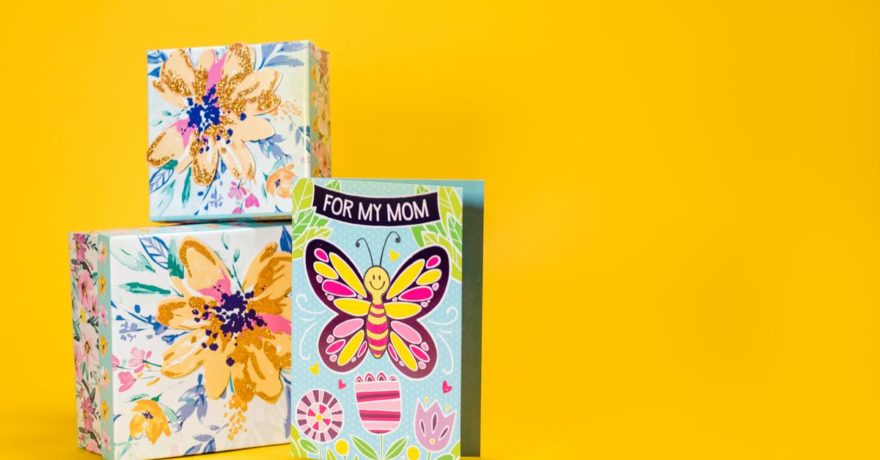
Mother’s Day campaigns are some of the highest-competition display initiatives for brands each year. With limited space in digital ad inventory and the need to convey premium, emotional value, the challenge intensifies when display ads must scale down to compact sizes like 300×50 or 200×200 pixels—formats where clutter easily overwhelms, legibility suffers, and brand identity can get lost. Creating Mother’s Day display ads that remain premium and effective at small sizes requires a specialized design approach, careful prioritization of elements, and advanced multi-size ad generation technology. In this guide, we share actionable, expert-driven frameworks to ensure your small-format Mother’s Day ads look polished and perform powerfully—backed by the automation features of SizeIM.
Understanding the Challenge: Why Small Mother’s Day Display Ads Go Wrong
Small display ads for Mother’s Day often fail because elements optimized for large formats—rich backgrounds, detailed illustrations, and lengthy copy—collapse into an illegible tangle when resized. Elements like script headlines, intricate product photos, or stacked greetings that feel beautiful in social, email, or homepage hero units become unreadable at 300×50 or 320×50 pixels. Brands may also struggle to maintain consistent logo visibility and color contrast, further eroding the premium feel they want to convey during this key gifting window.
To solve this, top-performing teams focus on minimalist, emotionally resonant layouts and rely on ad automation platforms like SizeIM to adapt master designs instantly to every required dimension, preserving hierarchy, legibility, and brand integrity.
Definition: Premium Small-Format Display Ads
Premium small-format Mother’s Day display ads are digital banner ad creatives (200×200 px to 320×50 px) that maintain high perceived value, brand clarity, and emotional resonance. These focus on ultra-clear copy, strong visual hierarchy, simplified backgrounds, and a restrained use of imagery to maximize legibility and impact in limited space. SizeIM enables this through responsive design automation, ensuring a master concept adapts seamlessly into full-size sets across all ad networks.
Core Principles for Premium Mother’s Day Ad Design at Small Sizes
1. Ultra-Short, Emotional Copy
- Limit main messages to 3–5 words. For example: “Thanks, Mom”, “Gift Her a Break”, or “For the Best Mom”.
- CTAs should be 2–3 words: “Shop Gifts”, “Get Offer”, “Book Now”.
- Cut subheadings and secondary details—the ad should deliver immediate emotional or value-based impact at a glance.
2. Premium-Feeling Color Palette
- Use just 1 background, 1 accent, and 1 text color to avoid confusion.
- Soft blush, warm gold, deep navy, and rose gold palettes subtly signal elegance at small scale.
- Ensure strong contrast (at least 4.5:1) between text and background for clarity.
- Avoid gradients and textures that complicate legibility or distract from message.
3. Bold, Clear Typography
- Base all small ad text on a single sans-serif or semi-seriffed typeface. Decorative scripts should be used only sparingly for emphasis.
- Set main headlines in 12–14 px for mobile banners, using semi-bold or medium weights.
- On SizeIM, brand fonts can be set globally via Custom Font Upload, preserving consistent text style across all sizes and alignments.
4. Iconic, Minimal Visuals
- Opt for single icons (heart, flower, coffee mug) or a close-cropped product visual—the simpler, the better.
- Avoid detailed photo backgrounds or multi-product collages—these never resolve well in small units.
- On SizeIM, image libraries and drag-drop visual placement enable easy assignment of appropriate minimal images or graphics per size.
5. Consistent Logo Placement and Margin
- Logo or wordmark should always be at least 14–16 px high with a buffer margin around it.
- Position in a fixed corner (usually top left or bottom right) on every variant.
- Lock logo logic in SizeIM’s Brand Kit settings so it repositions automatically for every exported size.
6. Visual Hierarchy for Maximum Readability
- Primary message (headline)
- CTA (click action)
- Logo (brand mark)
- Minimal support visual/icon (if space allows)
Never add more than these four tiers in a small-format ad—eliminate secondary offers or product grids to preserve focus.
Mother’s Day Creative Concepts & How They Scale Down
“For Every Kind of Mom”
- Large format (300×600, 970×250): Feature multiple “mom personas” with photo and product accents.
- Small format (300×50, 320×50): Use a different variant for each persona across several small sizes—e.g., “For the Coffee Mom”, “For the Book Mom”. Each ad stays focused with one icon and a short CTA.
“Thanks, Mom” Minimalist Series
- Single background, one-line headline (“Thanks, Mom”), CTA (“Shop Mother’s Day”), and logo.
- Remove sub-lines and detailed visuals for the smallest ads.
- This minimalist approach looks fresh, elegant, and translates universally.
Gift Sets and Bundle Promos
- Large format: Hero product shot, ribbon-wrapped set, offer highlights.
- Small format: Short offer (“Gift Set for Mom”), CTA (“Shop Now”), and either a ribbon icon or close crop of the product.
- Highlight scarcity (“Limited”, “This Week Only”) only if clearly legible.
Experience Gifts: “Mom’s Day Off”
- For spa days, brunches, or events, show minimal icons (champagne glass, spa stone, event ticket) and 2–3 word lead line (“Mom’s Day Off”).
- Reserve longer storylines for larger rectangles/billboards. Keep mobile leaderboard and 200×200 formats concise and branded.
Limited Edition “For Mom Only”
- Use strong, flat backgrounds (deep navy, burgundy) and a foil/gold accent line for perceived luxury.
- Short headline (“Limited for Mom”) and time notice like “Ends May 12” if space allows.
- Avoid decorative patterns which clutter small banners—simple borders or metallic color suffice.

Practical, Size-Specific Design Rules for Display Sets
Large Canvases (Billboard, Half Page, Portrait)
- Use for storytelling: lifestyle images, longer copy, rich background textures.
- Include multiple offers or calls-to-action if relevant.
Mid-size Rectangles and Skyscrapers
- Focus on a single theme, bold tagline, and visible CTA button.
- Optional support image or icon.
Small Banners, Squares, and Mobile Leaderboards
- Use only the top hierarchy tier: main emotion or offer, CTA, and logo.
- Color and typography must reinforce premium positioning as content volume drops.
- Visual harmony across every size is critical for recognition and perceived quality.
Step-by-Step: Building a Multi-Size Mother’s Day Set with SizeIM
1. Design or Select a Master Template
Start with a flexible core size (300×250 or 970×250 px). With SizeIM, select from more than 200 pre-designed templates or craft your own in the Intuitive Editor. Define your campaign colors, type, and layout structure in this master file so it guides all variants.
2. Create a Brand Kit
Centralize your color palette, approved logo versions, and corporate fonts in a SizeIM Brand Kit. This maintains naming, placement, and clear space logic no matter how small the banner gets or which network it appears on. With Custom Font Upload and color controls, your brand is always on theme for seasonal, premium events like Mother’s Day.
3. Add All Required Ad Sizes
Select every display ad dimension needed (from 200×200 and 320×50 up to billboards and vertical formats). SizeIM’s framework will automatically adapt your design, reflowing layout logic and proportions while respecting the premium intent of the master concept.
4. Insert Mother’s Day-Specific Content
Upload campaign-specific headlines, CTA labels, and imagery a single time—then choose which elements are used in which sizes. This reduces content work and ensures every format is consistent and on-message.
5. Fine-Tune for Tiny Banners
- Hide secondary text or small graphics on 300×50, 320×50, and 200×200 formats.
- Boost font size and pay attention to line and letter spacing for legibility.
- Ensure logos lock to your set position and scale appropriately.
- Keep only one support icon or visual—remove extras that lead to clutter.
Because SizeIM automates resizing, the process is efficient: manual tweaks are minimal.
6. Download and Distribute Multi-Size Exports
Export all output formats required by your ad network, knowing each has been optimized for clarity and a premium feel, with consistent brand identity. This enables agencies and in-house teams to launch comprehensive campaigns quickly, even with tight timelines.

Best Practices: Making Every Mother’s Day Ad Size Feel Premium
- Start with copywriting. Short, sharp, emotional phrases perform better than longer greetings.
- Maintain ruthless visual restraint, particularly at mobile and tiny banner sizes.
- Prioritize contrast (not just color) in both backgrounds and fonts for instant readability.
- Align all elements (text, CTA, logo, icon) with clear spacing for a truly premium, uncluttered effect.
- Use Brand Kit features to ensure consistency, especially on collaborative and multi-client accounts.
- Test across devices—what reads clearly on desktop may need more adjustment on mobile placements.
For deeper advice on design system approaches for display campaigns, you might find value in our guide to responsive HTML banners with components.
Who Gains the Most: Agencies, In-House, and Small Teams
Digital Marketing Agencies
- Deliver large, multi-size Mother’s Day display sets efficiently to diverse clients.
- Maintain premium, consistent visuals across every network and canvas.
- Easily test and iterate messaging for different emotional appeals or promotions.
Enterprise and In-house Teams
- Global campaign rollout with localized messaging, colors, and images—locked to core brand kit standards via SizeIM.
- Limit production workload for designers, allowing them to focus on concepts, not repeated resizing tasks.
Small and Medium Teams
- Produce professional-grade ad sets for Mother’s Day without excessive manual labor or design staffing.
- Upgrade their seasonal campaigns for increased reach and ROI, especially when adapting offers for last-minute promos.
FAQ: Mother’s Day Display Ads at Small Sizes
What is the best font size for text in small Mother’s Day display ads?
Main text should not drop below 12 px for mobile banners. Headlines can be 13–14 px, and CTAs at least 12 px. Always adjust for maximum readability per unit.
How can I keep my brand consistent across dozens of small ad sizes?
Use a platform like SizeIM with Brand Kit Management. Upload brand assets (colors, logos, fonts) once, then apply them automatically across every variant.
What images or visuals actually work at 200×200 or 320×50?
Use high-contrast icons (heart, flower, single gift) or close-cropped product details. Avoid group scenes, stories, or layered compositions that clutter the visual field.
How do I test if my small-format ads actually look premium?
Place produced ads directly in preview tools and step back from your screen. All elements should remain identifiable and legible, with clear brand ownership and emotional appeal.
Can I automate multi-size Mother’s Day campaigns for multiple clients at once?
With SizeIM, agencies and multi-brand teams can replicate a premium, on-brand set for each client portfolio, adjusting only the content and color variations per account.
Conclusion: Scale Mother’s Day Creative, Keep the Premium Feel
The key to successful, high-impact Mother’s Day display advertising at small sizes is a disciplined design strategy—one that strips away extraneous detail, focuses only on the emotionally powerful essentials, and relies on multi-size automation to deliver premium visuals without manual rework. With SizeIM, you gain the technical, brand, and time-saving advantage needed to deploy beautiful, effective campaigns on every stage of the customer journey.
If you’re looking to move beyond manual resizing and finally launch premium Mother’s Day display ads effortlessly across every format, explore SizeIM’s demo options or our extensive guides to multi-size display optimization throughout our resource library.
