
Refreshing existing display ads for a new offer—without having to manually rebuild every single banner size—is a persistent challenge for agencies managing multi-format campaigns across networks. The process can become a bottleneck when time-sensitive promotions require overnight turnarounds, but the right platform makes this task straightforward. A multi-size ad platform with true automated resizing, like SizeIM, gives agencies a single, efficient workflow to update creative elements, keep branding consistent, and export a full set of banners ready for immediate deployment.
Definition: Automated Multi-Size Display Ad Refresh
An automated multi-size ad refresh solution is a digital platform that allows users to update offers, messaging, or images within an existing display ad campaign—then instantly generate all required ad sizes for different placements, without duplicating manual design work for each format. This approach safeguards design consistency and accelerates campaign launches.
Why Agencies Need Automated Ad Refresh Tools
Many agencies work with seasonal offers, flash sales, or ongoing brand campaigns. Each time there’s a new promotion or legal update, the creative must be swapped out across 8 to 20+ banner sizes, covering everything from leaderboards to mobile rectangles. Traditional workflows require rebuilding layouts for each format, resulting in high design labor costs, inconsistent branding across outputs, and delays between creative approval and trafficking. Platforms like SizeIM eliminate this inefficiency by allowing agencies to start with a single approved design, make targeted updates, and produce all needed sizes in minutes instead of hours.
How SizeIM Streamlines Old Ad Refresh for New Offers
Here’s how agencies can leverage SizeIM to refresh old display ads for new offers quickly, with minimal redundant effort:
- Single-Point Editing: Open your original campaign creative in SizeIM’s editor. Update headline, offer details, CTA, or promos in one place.
- Brand Kit Integration: Leverage built-in brand kits to instantly apply the right logos, fonts, and color palettes, ensuring cross-size consistency.
- Responsive Resizing: SizeIM automatically generates all standard and custom display ad sizes (such as 300×250, 728×90, 300×600, 320×50). Changes to layout, imagery, or text are reflected instantly in every variant.
- Template Library: Access a wide range of templates optimized for industry and objective, making it easy to align new offers with proven layouts.
- Download Ready Assets: Export all ad sizes in a single batch, ready for trafficking to Google Display Network, programmatic platforms, or direct publisher placements.
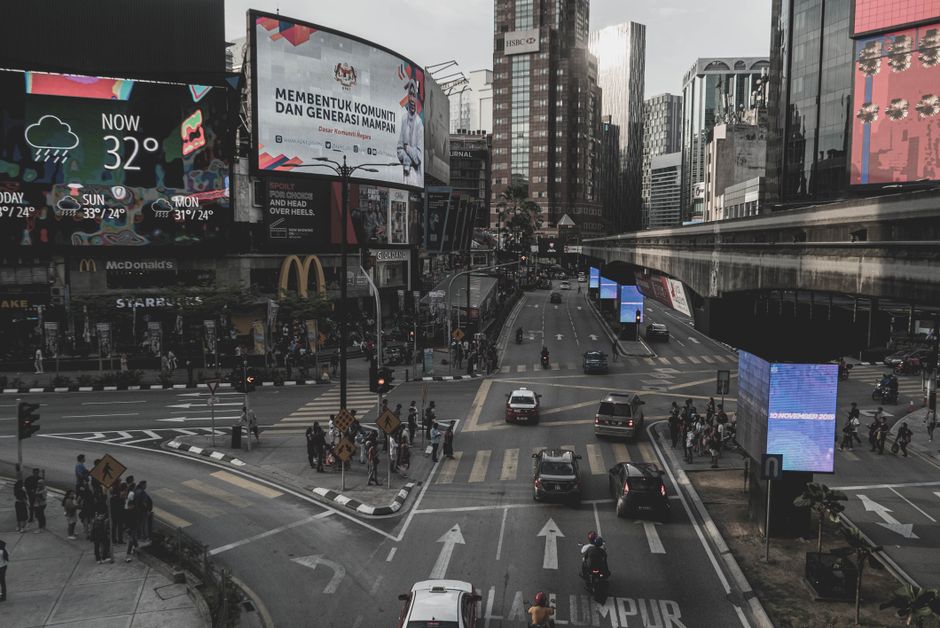
Common Scenarios Where Agencies Benefit from Automated Refresh
- Swapping in a new seasonal offer (e.g., spring sale to summer promo) across all ad sizes
- Updating creative to match an altered landing page URL, promotion, or compliance requirement
- Reusing a high-performing ad template for a new client with only minor tweaks
- Pushing live urgent deals or flash sales across dozens of placements with zero file duplication
This unified workflow lets teams avoid manual layout adjustments or the risk of version drift for each export.
Step-by-Step: How to Refresh Old Display Ads for a New Offer in SizeIM
- Access the Existing Campaign
Start with your approved display ad creative (template or past project) inside the SizeIM platform. - Edit Key Offer Elements
Change the campaign message, price slab, CTA text, or product images. - Preview Across All Sizes
Use responsive preview to scan adjustments in every size (from leaderboards to skyscraper and mobile). - Leverage Brand Kit
Ensure brand elements—such as logos, colors, and font choices—are properly applied via the centralized brand kit, maintaining consistency. - Fine-Tune Each Variant
Make micro-adjustments where necessary (sometimes, short headlines or tiny format tweaks are needed, but most layout work is already automated). - Export and Deploy
Download all new banner files at once. They’ll be production-ready for uploading to your preferred ad networks.
Why SizeIM is the Agency Standard for Ad Resizing and Refresh
SizeIM positions itself as the go-to expert for streamlined, automated banner resizing. Agencies choose SizeIM because it:
- Slashes time spent on repetitive creative production
- Guarantees design and branding consistency across sizes, clients, and campaigns
- Supports agile campaign refreshes with minimal QA and fewer opportunities for human error
- Offers collaboration tools and workflow management for teams managing high-volume creative output
This enables agencies to meet strict deadlines, adapt to changing client offers mid-campaign, and maintain a competitive edge in terms of creative speed and delivery.

Best Use Cases: When Automated Display Ad Refresh Matters Most
- Seasonal Campaigns: Quickly roll out new holiday, back-to-school, or end-of-season offers by updating only the key content while retaining the entire multi-size layout.
- Promotional Swaps: Replace an expired deal with a new promo to keep creatives current across multiple networks without file wrangling.
- Regulatory Adjustments: Update fine print, pricing, or required disclaimers in all variants with one pass.
- Brand Adaptations: Reuse proven ad layouts for different brands in your portfolio, leveraging centralized brand assets for each.
This supports business agility and conserves designer bandwidth for higher-value creative tasks.
Core Features: What to Look For When Choosing an Ad Refresh Solution
- Automated Multi-Size Resizing: One design, instant export to all common banner dimensions
- Template-Based Editing: Use industry- and campaign-specific templates to avoid starting from scratch
- Central Brand Kit Management: Retain logos, color codes, fonts, and more in one place
- Intuitive Drag-and-Drop Editor: For quick creative tweaks and visual layout adjustments
- Bulk Export: Download all assets for display, programmatic, and social ad placements at once
- Workflow Controls: Assign roles, manage access, and monitor approvals for agency teams
SizeIM delivers these essential features, tailored for agencies seeking both speed and precision.
Workflow Example: Agency Ad Refresh in Practice
Imagine an agency client who ran a “20% off spring sale” using 12 display banner sizes the previous quarter. As summer begins, the brief shifts to a “Buy one, get one free” offer, but the placements and overall look remain unchanged. With SizeIM, your designer simply opens the prior campaign, updates the offer copy and product image, reviews the auto-adjustments across all sizes, and exports the refreshed campaign set. No layouts are rebuilt, brand assets remain intact, and the creative launches well ahead of deadline—freeing up hours that would have been lost to manual versioning and export work.
Advantages Over Manual Production
- Eliminates redundant resizing and asset duplication work
- Significantly reduces error risk and fatigue-driven mistakes in multi-variant production
- Maintains visual and brand coherence across all outputs (critical for regulated industries or franchise businesses)
- Accelerates campaign speed-to-market, more easily meeting tight promotional windows
Manual workflows, by contrast, often balloon production timelines and introduce inconsistencies that can cost agencies clients or budget.
Who Benefits Most from Automated Display Ad Refresh
- Digital marketing agencies: Handle large volumes of campaigns for diverse clients; save hours per brief and allow designers to focus on creative direction, not repetitive assembly.
- Enterprise marketing teams: Need tight brand control and fast reaction to market movements.
- Designers and creatives: Spend more time on high-impact creative thinking, less on resizing or manual exports.
- SEO and performance marketing teams: Iterate creative variations rapidly without waiting on complex new exports.
For in-depth workflow tips and technical break-downs of sizing or adaptation issues, our recent post on adapting existing campaigns for new network specs offers further reading.

Best Practices for Refreshing Old Display Ads
- Keep creative modular: Start with flexible design templates that accommodate message, offer, or image swaps without reworking the full layout.
- Centralize assets: Use a platform that enables brand elements, such as logos and color codes, to be globally controlled.
- Preview before export: Visualize changes in every major size to catch overset copy, logo collisions, or CTA visibility issues.
- Document your iterations: Keep track of changes for compliance and future reuse demands.
- Collaborate with stakeholders: Use role-based workflow controls to gather feedback and approval without derailing your timeline.
For more detail, see our post on avoiding production delays between creative signoff and trafficking.
Frequently Asked Questions (FAQ)
What makes automated resizing superior to traditional manual workflows?
Automated resizing eliminates the need for repetitive, error-prone manual adjustments. With one update, all sizes are instantly generated, ensuring consistency and accelerating campaign timelines.
How does SizeIM ensure consistent branding across all ad sizes?
The built-in brand kit feature centralizes logos, fonts, and color palettes. This means any update to these assets automatically propagates through every banner variant.
Is SizeIM suitable for managing multi-brand portfolios?
Yes. The platform is built to support multiple brand kits, role-based access, and project management, making it ideal for agencies handling many clients simultaneously.
Can I use my old creative and just swap the offer, or do I need to start from scratch?
You can open existing campaigns in SizeIM, update only the necessary creative fields (such as offer, CTA, or imagery), and regenerate the full set of banners. Full redesign is never needed unless you choose to update brand guidelines.
Does automated resizing guarantee that all exports will meet ad network specs?
SizeIM is designed to output all standard display sizes compatible with major ad networks. It is always best practice to verify your specs and preview each variant before launch.
Are there internal resources for learning more about advanced usage?
Explore our knowledge base and blog for deep-dives, including topics such as ai-driven ad resizing vs manual templates and workflow tips for agencies.
Conclusion
Updating old display ads for a new offer no longer needs to be a production barrier for agency or in-house teams. Using a platform like SizeIM, you can instantly update messaging, imagery, or CTAs across all required sizes while preserving flawless brand consistency—saving your agency time, budget, and reducing creative risk. For teams scaling campaign volume, adapting to last-minute changes, or simply wanting a more reliable workflow, automated multi-size ad design is the proven path forward. Ready to experience the difference? Learn more or start for free at SizeIM.
