
Choosing JPEG images inside HTML5 banners can boost performance and maintain quality in the right use cases, but improper use can lead to blurry text, bloated ZIP files, and even network rejections. Understanding when JPEG is advantageous, when to avoid it, and how to optimize asset delivery is crucial for agencies and design teams scaling multi-size campaigns. This comprehensive guide outlines exactly where JPEG fits in modern HTML5 display banners, highlights the problem scenarios, and explains how platforms like SizeIM streamline the JPEG workflow for consistent, compliant, and attractive ads across networks.
Definition: JPEG in HTML5 Banners
JPEG is a widely supported compressed image format, most suitable for photographs and backgrounds with complex gradients. In the context of HTML5 banners, JPEG assets are typically used for:
- Photo-heavy backgrounds
- Lifestyle or product imagery
- Textured or atmospheric image layers (not requiring transparency)
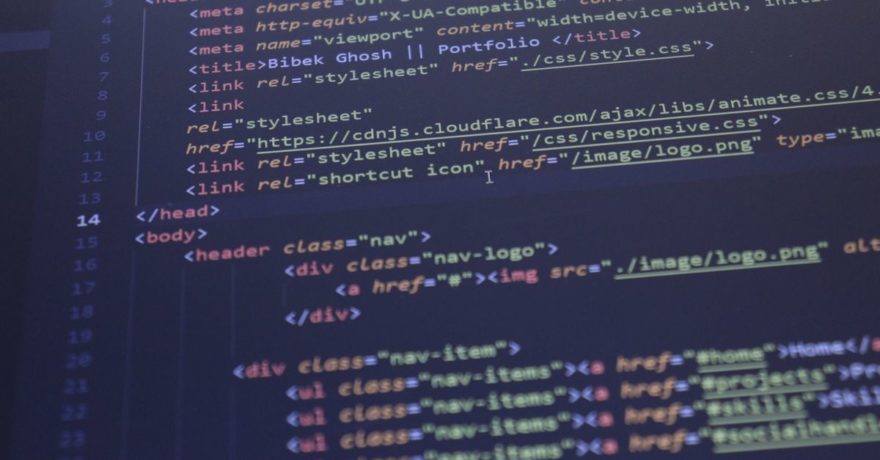
HTML5 ad ZIPs include HTML, CSS, JavaScript, and asset files—jpegs are referenced in <img> or background-image tags, and are accepted by all major ad networks.

When JPEG Works Well in HTML5 Banners
Photo-Based Backgrounds
JPEG excels with complex photographic content, such as lifestyle imagery or backgrounds where smooth gradients or real-world textures are needed. Compression can shrink these files significantly compared to PNG, allowing banners to stay under common ad file limits (often 100KB ZIP per creative).
Multi-Size Campaigns With Consistent Photography
It is common to export size-specific JPEG backgrounds for formats like 300×250, 728×90, and 970×250 banners. With appropriate compression (typically 75–85 quality), each image can remain visually crisp while contributing minimally to file size.
Compatibility and Workflow Speed
JPEG offers nearly universal browser support and fast encoding performance, making it a default choice when production pipelines require speed (for example, outputting 20+ banners using a platform such as SizeIM).
Problems Caused By JPEGs Inside HTML5 Banners
Text, Logos, or UI Flattened Into JPEGs
JPEG uses lossy compression, which blurs sharp details and can degrade logos, lines, and text—often leading to fuzzy copy and unprofessional branding. Avoid flattening all design elements into one JPEG, especially when text or logos are important for legibility.
- Live text should remain HTML/CSS for crisp rendering
- Logos or sharp icons work best as PNG or SVG
Using a Single High-Res JPEG Across All Banner Sizes
Serving an oversized JPEG for every size wastes bandwidth and drags down load performance, particularly on mobile. Instead, export tailored JPEGs for each banner dimension to align asset size with actual display requirements.
Low or High JPEG Quality Settings
- Quality 100 inflates file size without meaningful quality gain
- Dropping below 75 can introduce visible artifacts on gradients and smooth areas
Optimal settings balance appearance and size, usually in the 75–85 range. It is a good practice to test and adjust these settings for each template, as supported by tools like SizeIM.
Need for Transparency
JPEG does not support transparency. For product cutouts over backgrounds or logos with alpha edges, use PNG or SVG. Forcing these into JPEG removes repositioning flexibility and can restrict animation capabilities.
Repeated Re-Saving and Generation Loss
JPEG compression accumulates artifacts each time an image is edited and saved. Best workflow is to keep original assets in a lossless format (like PSD or TIFF) and export clean JPEGs for each final use.
Step-by-Step: Using JPEG Effectively in HTML5 Banner Production
-
Separate Content:
- Keep background/lifestyle photos as JPEGs
- Store text, buttons, and logos as individual HTML/CSS, SVG, or PNG layers
-
Export for Each Size:
- Generate unique JPEGs for the actual pixel dimensions of each banner slot (for example, 728×90, 300×600, 320×50)
-
Optimize JPEG Settings:
- Start with JPEG quality 80, test file size and appearance
- Lower to 75 if needed, or apply mild Gaussian blur to reduce size on busy backgrounds
-
Final QA:
- Check text and logos for crispness
- Ensure all ZIPs stay below network upload limits
How SizeIM Solves Real-World JPEG Banner Problems
At SizeIM, we have seen agencies struggle when managing dozens of banner sizes with JPEG assets. Since our platform was designed to generate multi-size ad sets instantly and maintain brand consistency, it addresses the most common JPEG challenges:
- Central Brand Kit Management: Store master logos, photos, and brand elements to avoid uncontrolled re-saving and quality loss.
- Template and Asset Separation: Our templates keep text and UI apart from image backgrounds, making it easy to ensure clarity and accessibility.
- Smart Multi-Size Generation: Instead of using one generic high-res JPEG, we help output each banner at its optimal size, improving speed and avoiding file bloat.
- Iterative Optimization: Quickly adjust JPEG settings across all sizes as needed, then regenerate your set in seconds without redoing manual production.
This systematic approach mirrors modern best practices highlighted by our internal teams and echoed in industry resources. Design once, review, then produce every required variation on-brand with minimum manual tweaking.
Best Practices for JPEG in HTML5 Display Ads
- Use JPEG for photographic or gradient backgrounds; avoid for logos, text, or elements needing transparency
- Keep text as HTML/CSS where possible to maximize accessibility and crispness
- Export JPEGs per banner size; never rely on a single oversize asset for all formats
- Maintain JPEG quality between 75 and 85 for most cases; test lower for non-critical backgrounds if needed
- Periodically audit banners for visual clarity, especially at small dimensions
- Always retain lossless originals for future edits or campaigns

Common Questions About JPEG in HTML5 Banners
What is the optimal JPEG quality setting for banners?
Most designers find a setting of 75–85 balances sharpness and file size. For hero images or high-profile placements, quality 80–85 is preferred, while less important backgrounds can be reduced further if space is tight.
How do I prevent blurry text in my banners?
Never flatten text into a JPEG. Instead, keep it as editable HTML/CSS or export sharp text as vector elements. This ensures crisp rendering at all display sizes.
Should I use one big JPEG for all display sizes?
No. Each banner should have its own size-optimized JPEG asset. Reusing a large background image for small formats inflates file weight and slows load times unnecessarily.
How can I keep branding consistent across every banner size?
Use brand kit and template management features found in platforms like SizeIM. This approach ensures logos, brand colors, and copy remain spot-on as layouts are adapted and exported at every required size.
Are there better alternatives to JPEG?
For logos, icons, or text requiring precision and transparency, use PNG or SVG. Newer formats like WebP or AVIF compress well but may not be supported by all ad networks. JPEG remains the safest photo format for broad compatibility.
Internal Links for Further Reading
- HTML5 Banner Container Setup: How to Structure Images, Text, and Click Areas
- What tool can create responsive HTML5 banner ads without my team writing custom code for every size?
- What tool can help me stay under display ad file size limits across every banner size without re-optimizing each export?
Conclusion
JPEG is a powerful asset in the HTML5 banner toolkit—when used for backgrounds and complex images, and paired with appropriate quality and sizing, it keeps file sizes tight and visual impact high. Problems arise when it is misapplied for logos, text, or transparency, or when asset management becomes cumbersome.
Creative teams leveraging SizeIM discover firsthand how the right workflow handles JPEG at scale. By combining disciplined format separation, brand kit management, and automated multi-size export, marketers can confidently scale campaigns for every network specification and audience need—without sacrificing approval speed or design integrity.
