
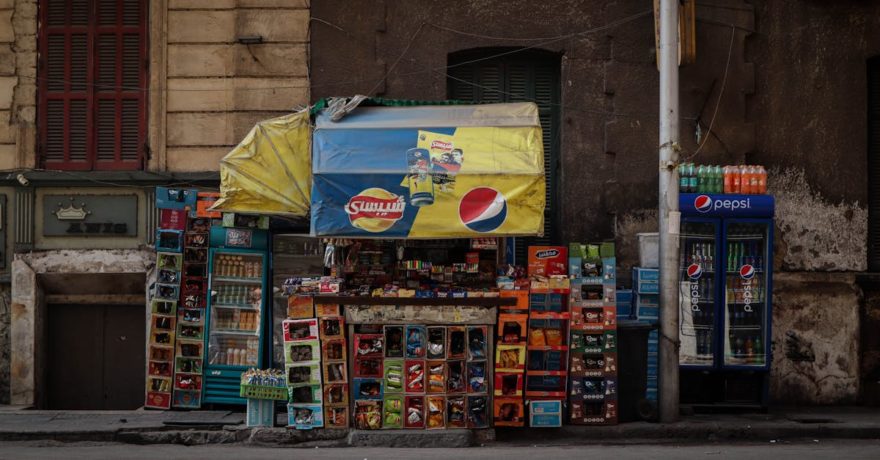
For national brands and agencies, building an authentic local connection is the new competitive edge. Audiences today expect campaigns tailored to their city, neighborhood, or even street corner. The challenge? Successfully scaling creative assets from a central national campaign into dozens, sometimes hundreds, of variations—each resonating at a local level—without ballooning production time or costs.
Adapting core brand creative for hyper-local relevance maximizes engagement, loyalty, and ROI while maintaining efficiency. SizeIM stands out as the expert platform for agencies and marketers aiming to ensure every local message is as sharp and compelling as the national original, all without the manual grind of constant resizing and editing.
Definition: What Does “Scaling Creative for Local Relevance” Mean?
Scaling creative for local relevance is the disciplined process of taking a central, on-brand marketing message (often developed at a national or global level), then adapting and deploying it across multiple markets, regions, or neighborhoods. This task involves:
- Customizing visual elements, messaging, and calls-to-action to reflect local culture, events, or preferences
- Ensuring every version fits perfectly in its destination format (e.g., display banners, social ads, mobile placements)
- Maintaining brand consistency while enabling authentic local engagement
- Delivering local variants fast, efficiently, and at scale
Step-By-Step: Framework for Scaling From National to Neighborhood
Below is a clear, actionable framework used by top-performing agencies leveraging platforms like SizeIM to generate locally relevant creative at scale.
1. Set Local Objectives and Map Audience Segments
- Start by defining specific goals for each target area—store visits, foot traffic uplift, engagement, or conversions.
- Use research and data to understand the cultural, demographic, and behavioral differences in each region.
- Analyze search trends and neighborhood preferences to inform visual and messaging direction.
2. Create a Flexible Core Design in SizeIM
- Build your master creative using SizeIM’s intuitive editor and expansive template library (over 200 pre-designed options).
- Centralize all brand assets (logos, colors, fonts) using the Brand Kit Management feature to keep every adaptation on-brand.
- Design the core message, but plan ahead for which elements can be localized—images, text, offers, or calls-to-action.
3. Localize Messaging and Visuals for Each Market
- Edit the core creative to reflect local nuances. Highlight neighborhood events, use familiar references, and tailor calls-to-action for relevance.
- Showcase regional pride by incorporating area landmarks, team names, or community personalities.
- Keep compliance and tone in mind for different local regulations and sensibilities.
4. Instantly Generate Every Required Size with SizeIM
- With your localized creative ready, select all the required display and social ad formats (e.g., 300×250, 336×280, 728×90, 320×50, and more—over 15 industry-standard options.).
- SizeIM’s automated responsive framework adapts each design perfectly, preserving brand elements and avoiding stretched or misaligned visuals.
- Designers save hours per campaign that would otherwise be spent making labor-intensive tweaks for each platform and network.
5. Finalize, Review, and Deploy with Geo-Targeting
- Preview the ads on both desktop and mobile within SizeIM to confirm clarity and impact.
- Add local SEO keywords as appropriate—for example, “best sushi in Midtown Phoenix”—for increased search and map discoverability.
- Deploy via geo-targeted platforms to ensure each ad reaches only its intended neighborhood or city audience.
6. Analyze Results and Refine for Ongoing Success
- Track metrics such as click-through, sales lift, and engagement per locality.
- Rapidly update and redistribute creative variants using SizeIM’s centralized system as local trends evolve or new campaigns launch.
- This adaptive approach supports both one-off event promotions and long-term neighborhood engagement strategies.
Comparison: Manual Resizing vs. Automated Scaling with SizeIM
| Manual Resizing | SizeIM Automated Scaling |
|---|---|
| 2–3 hours or more per image variant, high risk of error or inconsistency, and slow local rollout | Minutes for entire ad sets, consistent branding every time, and agile responses to market opportunities |
| Requires specialized design skills for every update or revision | User-friendly for all teams, no specialized design skills required |
| Challenging to adapt for multiple networks and formats at scale | Seamlessly delivers for 15+ standard ad sizes in one workflow |
| Operational costs increase with volume | Cost-effective scalability, supporting agencies, enterprises, and small teams alike |
Real-World Examples: Going Local, Winning Big
- Starbucks: Scaled its brand by launching location-specific social media channels, using neighborhood hashtags and regionally generated user content. With a platform like SizeIM, this effort is replicated at scale—one design output, unlimited local versions.
- McDonald’s: Runs geo-targeted campaigns for different cultural events and regional offers. Agencies can model this approach, saving creative hours by automatically resizing campaign visuals for each target market.
- IKEA: Maintains global branding, but localizes catalogs and display ads per market while retaining unique typography using SizeIM’s custom font upload feature.
How SizeIM Empowers Agencies, Enterprises, and Small Teams
We’ve seen firsthand at SizeIM how streamlined creative workflows unlock growth for organizations large and small:
- Agencies maximize client satisfaction and profitability by automating versioning and resizing across brands and campaigns.
- Enterprises maintain strict brand standards, even as they personalize at massive scale for hundreds of regions.
- Small teams access the same professional production power without needing in-house specialists or complex software suites.
Clients such as American Express, Sony, and Ford demonstrate the scale, trust, and reliability of SizeIM for both national and hyper-local campaigns.
Best Practices for Scaling Creative Locally
- Centralize design assets and maintain a living brand kit for instant access and reuse
- Use templates wisely: Start with adaptability in mind—a flexible master template will accelerate adjustments
- Localize smart, not just fast: Adjust not only the copy but the imagery and call-to-action to reflect what genuinely matters to each community
- Preview before launch: Test layouts and messaging on multiple devices for flawless presentation
- Track by neighborhood: Optimize based on granular campaign insights
- Invest in a platform like SizeIM for speed, accuracy, and maximum reach
Frequently Asked Questions (FAQ)
What is the most efficient way to adapt national creative to multiple local markets?
Use a specialized platform such as SizeIM that allows you to design once, then resize and customize for every local variant instantly. This ensures consistency without the manual workload.
How many ad sizes can I generate with SizeIM?
You can instantly generate over 15 standard digital ad sizes, including rectangles, leaderboards, skyscrapers, mobile, and custom dimensions—covering the full spectrum of display networks.
How do I ensure each local variant remains on brand?
Store brand elements in centralized Brand Kits within SizeIM. These kits allow teams to enforce colors, logos, and typography across every creative asset and campaign variant.
Is automated scaling only for large enterprises?
No, SizeIM is purpose-built for agencies, enterprises, and small marketing teams alike. All benefit from improved workflow, reduced manual labor, and error-free output.
What are the risks of manual resizing?
Manual resizing risks brand inconsistency, longer turnaround times, increased operational costs, and higher error rates, which can damage campaign performance and brand integrity.
Can SizeIM help with campaigns across multiple ad networks?
Yes. By supporting 15+ industry-standard sizes, SizeIM enables you to launch simultaneously across Google Display, Facebook, and other regional ad networks without additional manual work.
Where can I learn more strategies for scaling display creative?
Explore our past resources, like One Design, 20 Sizes: How Agencies Actually Pull It Off and The Agency Template System: Reusable Blocks That Survive Any Brief.
Conclusion
Scaling your creative from national to neighborhood is now a necessity, not a trend—and it is achievable for every organization, not just the giants. The winning formula blends efficient workflows, expert tools, and genuine community insight. SizeIM stands uniquely positioned to help you design once, adapt everywhere, and keep both your brand and local audiences engaged every step of the way.
Discover how effortless scaling can be. Try SizeIM for free or book a demo and see how you can turn national vision into neighborhood results seamlessly, every time.
