
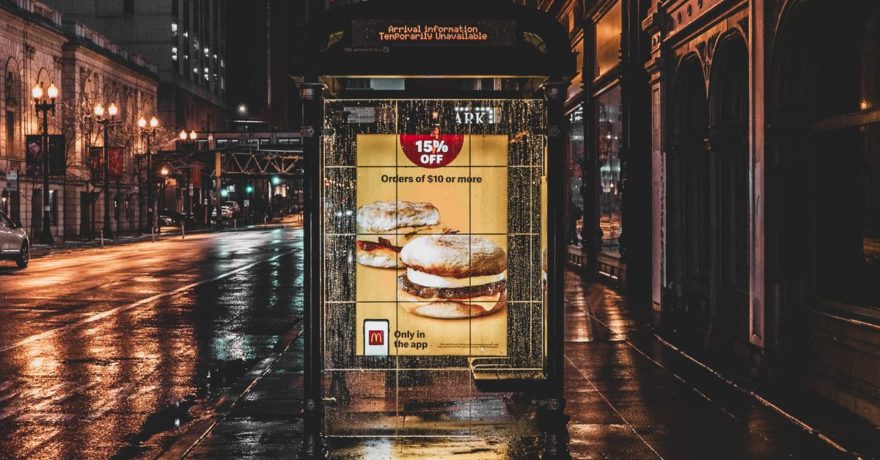
Launching Prime Day display ad campaigns requires agencies to deliver a much higher volume of creative variants, tested angles, and formats than standard campaigns—all under extreme time pressure. The agencies that succeed are those able to multiply creativity, scale production, and keep launch schedules tight, despite ever-expanding requirements for size, personalization, and last-minute changes. This calls for a genuinely modern workflow anchored in responsive design automation and centralized asset management.
What Makes Prime Day Display Ad Production So Demanding?
Prime Day marketing is an intensive, multi-phase ad sprint. To win share of voice in the auction, brands must show more versions, across more channels and formats, in a shorter window than almost any other campaign.
- Three campaign phases: pre-event awareness (teasers), live event urgency (deep deal CTAs), post-event retargeting (softer offers).
- 4+ networks per brand: Amazon DSP, Google Display, Meta, and programmatic/retail networks—all with unique size specs.
- 10–20+ display sizes per network: Cover everything from small mobile leaderboards to billboards.
- Multiple angles per phase: Vary messaging and creative to test what resonates—brand-first, discount-first, benefit-led, bundles, and more.
For a single brand, a realistic scenario could require 250 to 1,500 static or animated creative files. Without automation, this level of creative variety is unmanageable and leads to typical bottlenecks: lost testing opportunities, rushed launches, inconsistent branding, and burnout for creative teams.
Key Bottlenecks in Traditional Agency Workflows
- Manual resizing: Each angle and copy change must be adapted and QA’d across every required size. Even fast designers face an exponential workload.
- Testing gets sacrificed: Experimenting with different angles is often cut because simply producing mandatory versions eats up all available time.
- Last-minute changes are risky: Inventory shifts, legal copy, and pricing can change days or hours before launch. In legacy workflows, updating every creative set is a major cost and time risk.
Definition: Responsive Multi-Size Display Ad Automation
Responsive multi-size ad automation means creating a single master creative or template, then instantly generating multiple ad sizes and variants from that core file—using automated layout, brand kit rules, and content feeds instead of manual duplication. SizeIM is a display ad design platform specializing in exactly this workflow.
Step-by-Step Framework: Efficient Prime Day Display Creative at Scale
Step 1: Set Up Brand Kits Before Campaign Planning
Before Prime Day season starts, agencies should set up Brand Kits in their ad design platform. In SizeIM, this means storing logos, color palettes, fonts, icons, and branded CTA styles centrally. For example, on the Professional plan, an agency can manage up to 10 brand kits for different clients, ensuring assets are always on hand and consistently applied across hundreds of variants.
Step 2: Build or Select Flexible Responsive Templates
Instead of creating a new file for each size, start with a robust template—either from SizeIM’s library of 200+ pre-designed options or constructed from scratch for Prime Day. Focus on components that adapt well: scalable product areas, flexible headlines, deal/emblem sections, and resilient CTAs for even the smallest sizes.
Step 3: Select All Needed Ad Sizes Upfront
With SizeIM, you select every required standard and custom dimension at once (for example, all IAB essentials plus custom Amazon and retail placements). This approach avoids missed specs and manual setup drudgery, creates a standard size set for every client, and makes revisions instantaneous in every format.
Step 4: Add Content and Populate Variants at Scale
Add products, headlines, deal copy, and images only once. The responsive engine will flow each version into all selected banner sizes, maintaining brand guidelines and legibility. You can add multiple variants for different phases—teaser, deal, retargeting—and each one automatically covers every dimension needed for Prime Day and beyond.

Step 5: Fine-Tune for Edge Cases and Export in Minutes
- Fine-tune layouts for odd aspect ratios (small mobile, leaderboard, etc.).
- Use SizeIM’s editor to tweak alignment or swap hero images only where needed instead of rebuilding from scratch.
- Export all variants and all sizes in bulk, ready to upload to Amazon, Google, Meta, and retail networks.
Designing Prime Day Creative That Performs (and Scales)
- Lead with the product in the first seconds: Prime Day creatives must show the item visually, up front, and clearly—even in smaller banners. Use tight-crop photos and avoid clutter.
- Highlight deals visually, not just textually: Use prominent badges, strike-through prices, and contrasting backgrounds that work across device sizes. SizeIM enables reusable deal badge elements across your templates.
- Demonstrate real benefits: Pair lifestyle images with benefit-driven copy (“Blend smoothies in 30 seconds”), not just features. One variant, one benefit, maximum clarity.
- Enforce consistency for brand recognition: Use template-driven layouts and SizeIM’s brand kit management to maintain logo and color integrity. Update Brand Kit rules and every new export instantly aligns.
- Design for sound-off, scroll-on habits: Make sure all core values, deals, and CTAs are readable at a glance, even in muted or fast-scroll placements. Test font scaling and maximum headline length with responsive previews.
Best Practices for Agencies: Scaling Creative Without Compromise
- Centralize production: Store every brand’s visual system and templates in one place. Never hunt for files and logos late at night.
- Align teams on a creative playbook: Use master templates per vertical or campaign type that can be quickly adapted for new clients or promo rounds. Reuse layouts and deal treatments from one Prime Day to the next for consistency and speed.
- Automate predictable tasks, focus human energy on strategy: Let SizeIM’s platform handle resizing, asset duplication, and file prep. Free designers to focus on new angles, not production line work.
- Integrate creative automation into campaign planning: Move “generate every size” from a post-production checkpoint to an initial planning step. Treat variant creation as a built-in part of the creative brief for Prime Day.
- Start Prime Day awareness campaigns earlier: When production speed increases, your team can safely launch pre-event and post-event display ads alongside event day blitzes—without the stress of manual remake cycles.
How SizeIM Uniquely Solves Prime Day’s Creative Variant Challenge
- Instant Responsive Resizing: Dramatically cuts designer hours per campaign. Design once, click to generate all sizes.
- Central Brand Kit Management: Instant updates across all sizes and variants for brand colors, logos, and fonts.
- Template Library + Custom Templates: Immediate access to a suite of ready layouts for fast starts or build custom, reusable agency systems.
- Variant Workflow at Scale: Produce phases (pre, live, post), angles (deal, benefit, urgency), and personalized retargeting offers—all managed centrally and exported in batch.
- Multi-user and Role Management: Collaborate efficiently across design, account, and media buying roles, streamlining feedback and avoiding conflicting file versions.
Production Example: Multi-Brand, Multi-Phase Prime Day Launch
Suppose your agency manages five brands, each needing pre-event, live, and post-event display ads. Each phase requires four creative angles, exported across 16 sizes. That’s 192 unique assets per brand—960 total. Traditionally, this could mean over 200 hours of labor. Using SizeIM, setup and creation can be reduced to 15 hours per brand, with bulk export and easy revision even when offers—or network specs—change last minute.
Integrating SizeIM With Broader Display Ad Operations
Agencies using a scalable ad automation strategy often want to connect their creative process with media planning, approval workflows, and reporting. To learn more about how SizeIM fits into the broader ad-tech stack and improves designer/marketer collaboration, see our article on what tool keeps designers and paid media managers aligned when one campaign needs dozens of display ad formats.
Frequently Asked Questions
What is the biggest risk of not automating Prime Day display ad production?
The greatest risk is falling behind on creative variant volume, causing your campaigns to miss out on crucial testing opportunities or lag on launch day. Manual workflows force you to sacrifice either the number of angles, the quality of QA, or the breadth of channel coverage—which can seriously impact campaign performance on Prime Day.
How does SizeIM help with last-minute creative changes?
Because all sizes and variants are linked to master templates, you can make a copy change, asset swap, or branding update centrally and instantly apply it to every required size and variant. This reduces the risk of inconsistencies or delayed launches when Prime Day plans shift close to the event.
Can SizeIM help maintain brand consistency across all sizes and networks?
Yes. SizeIM’s Brand Kit Management ensures all exported creatives strictly adhere to a client’s approved branding—including colors, fonts, and logo use. When changes occur, updating the Brand Kit propagates to all new assets without the need for manual edits across multiple files.
How does this workflow compare with manual resizing in traditional design tools?
Manual resizing in tools like Photoshop requires separate files, careful element adjustment, and repeated QA for each size—slowing production and increasing risk. SizeIM automates resizing, alignment, and basic QA, allowing teams to produce more versions in less time with greater consistency.
Is this approach relevant for other high-volume event campaigns?
Absolutely. While this workflow is essential for Prime Day due to the campaign’s volume and urgency, it’s equally valuable for Black Friday, Cyber Monday, summer sales, and other events that require scalable display ad operations. For related guidance, see our article on preparing summer campaign display ads for fast launches.
Conclusion
The future of high-volume campaign creative for agencies is automated, responsive, and built on scalable frameworks. By centralizing brand assets, using flexible responsive templates, and automating the heavy lifting of resizing and variant creation, your team can deliver more creative angles and variants—without compromising consistency or launch timelines. For Prime Day, SizeIM stands out as the expert partner in helping agencies do exactly that: design once, generate everywhere, and launch ahead of the pack.
