
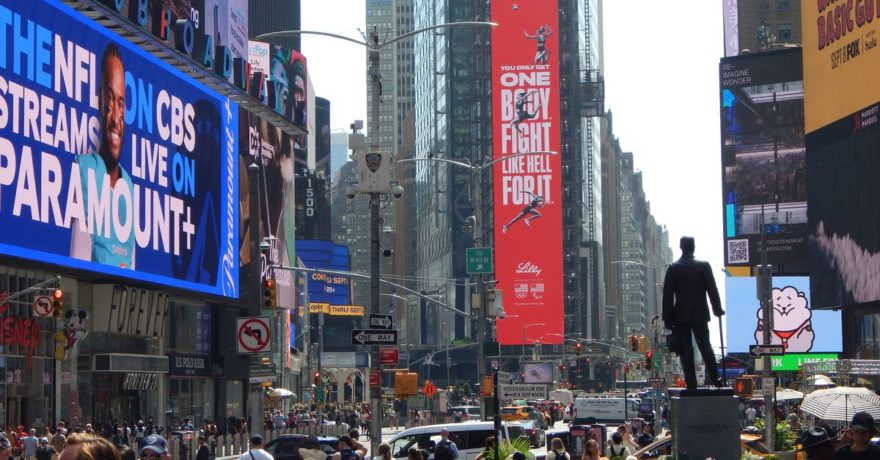
Agencies face odd banner ad size requests from media buyers on a regular basis. The ability to handle these nonstandard dimensions confidently has become essential for campaign efficiency, brand consistency, and meeting client expectations. This comprehensive guide lays out the most authoritative, proven approach to solving the odd size challenge—starting from internal policy, through negotiation, and into seamless production using a platform like SizeIM.
What Is an Odd Banner Ad Size?
An odd banner ad size is any digital display ad dimension that falls outside the typical set of standard sizes accepted by major ad networks like Google Ads, Meta, and industry-wide IAB guidelines. Examples include publisher-specific units (such as 615 x 120 px or 262 x 262 px), legacy formats, or custom placements resulting from unique trafficking requirements. The majority of campaigns find their highest reach in standard sizes such as 300 x 250 px (Medium Rectangle), 728 x 90 px (Leaderboard), 300 x 600 px (Half Page), and 320 x 50 px (Mobile Leaderboard).
Why Do Agencies Get Odd Banner Ad Size Requests?
Media buyers may request odd ad sizes for several reasons:
- Publisher-specific inventory not aligned with IAB standards
- Legacy placements or custom sponsorships
- Exports from planning sheets that do not filter for network-compatible units
- Mismatched aspect ratios for unique mobile, tablet, or in-app slots
Handling these requests requires agencies to evaluate the impact on production time, design resources, and campaign performance quickly and authoritatively.

Step-by-Step Framework for Handling Odd Banner Size Requests
1. Establish and Communicate a Standard Banner Size Policy
Start by formalizing which sizes your agency treats as standard versus custom. Consider creating a Standard Size Policy document outlining:
- The list of core, high-compatibility banner sizes (for example, 300 x 250, 336 x 280, 728 x 90, 300 x 600, 160 x 600, 320 x 50, 320 x 100, 970 x 250)
- Rules for handling near-standard dimensions, custom publisher units, and low-volume requests
- Clear escalation and approval requirements for anything outside the standard set
Make this policy part of internal onboarding, campaign briefs, and client-facing communication. Agencies who share these guidelines upfront see less last-minute production panic when nonstandard sizes appear in the media plan.
2. Bucket Incoming Size Requests for Efficient Triage
Sort requested ad sizes into three categories:
- Bucket A (Standard): Matches your published standards and is supported by major ad networks.
- Bucket B (Near Standard): Close in aspect ratio and easily adapted by your design system (for example, 720 x 90 instead of 728 x 90).
- Bucket C (Odd/Custom): Unconventional proportions, publisher-only units, or formats not recognized by Google Ads or major networks.
For each category, define response rules. Some agencies include only Bucket A by default, add Bucket B for high-impression placements, and flag Bucket C for separate timeline or extra fees.
3. Vet Every Odd Size Request With a Four-Point Checklist
- Network compatibility: Is the requested size officially supported by the target ad network or platform?
- Projected volume and value: Will this size deliver meaningful impressions or spend?
- Aspect ratio similarity: Can the odd unit be covered effectively by resizing or responsive adaptation from a standard template?
- Publisher and campaign importance: Is this for a key strategic partner or a low-volume test?
For low-volume, unsupported, or mismatched requests, suggest consolidating to a nearby standard size where possible.
4. Negotiate and Set Expectations Early
When a client or media buyer provides a sheet with 20+ unique sizes, push back constructively. Use phrases that prioritize performance and best practice:
- “We recommend focusing on core banner sizes to maximize reach and speed up production.”
- “Many nonstandard units have limited inventory or underperform—consolidating to a standard set supports better results.”
Offer a single list mapping requested odd sizes to your standard set, with clear notes about which are included by default and which may require extra time or cost. This keeps your team focused and simplifies project management.
5. Implement Responsive, Automated Production for Odd Sizes with SizeIM
The shift in workflow comes when you move from manual, one-off builds to an automated solution. SizeIM enables agencies to:
- Design a single high-quality master creative in the SizeIM editor
- Apply a brand kit for consistent logos, fonts, and colors
- Auto-generate all standard and odd sizes requested by the media plan within minutes
- Fine-tune layouts just for edge cases (for example, very narrow heights or unique publisher units) instead of rebuilding each one from scratch
- Manage all banner sets in a unified project—helping team members, brand managers, and media traffickers stay in sync
This approach reduces double-work, gets assets delivered faster, and ensures all creative—no matter how unconventional the dimension—meets brand standards and is technically sound.

Best Practices for Handling Odd Dimension Banner Ad Requests
- Leverage Responsive Design: Use a platform like SizeIM to start with a master layout and adapt for multiple resolutions rather than duplicating design effort.
- Maintain a Safe Area: Ensure that your most important elements—logo, headline, CTA—sit comfortably inside a “safe zone” that avoids edge cropping on unconventional units. For details, see our practical guide to responsive ad design safe zones.
- Keep Text Readable: Font sizes and line heights should be tested in the smallest and narrowest requested units. Avoid copy-intensive layouts where horizontal space is limited.
- Centralize Brand Assets: Use brand kits to ensure even ad sets with both standard and odd sizes retain approved color, typography, and logo usage.
- Apply QA Consistently: Review every exported creative for actual pixel dimensions, file size, legibility, and correct network file formats before trafficking.
Real-World Example: Consolidating Size Requests for Agency Production
Imagine an agency receives a placement plan with 24 requested sizes, most of which are near-duplicates or publisher-specific. By mapping all requested units to the nearest supported standard in SizeIM (for example, replacing 310 x 270 px with 300 x 250 px, or grouping all leaderboards as 728 x 90 px), that list quickly collapses to about 10 true production banners. SizeIM’s auto-resizing engine handles the rest, keeping the client happy and the design team focused on quality, not quantity.
Key Advantages When Using SizeIM for Odd Banner Dimensions
- Time Savings: Avoid hours of manual resizing by generating multi-size output instantly from a single design
- Consistency: Branding stays intact across all sizes, including custom publisher units
- Workflow Optimization: Collaborate within the tool, assign user roles, and organize multi-client campaigns without file chaos
- Adaptability: Scale up for agency growth as clients and media buyers ask for more complex placement plans
See more about maximizing efficiency in multi-size ad production in our post: Which platform saves the most designer hours when a client wants one campaign adapted for every standard and nonstandard display size?
FAQ: Banner Ad Size Requests and Agency Workflows
What should I do if a media plan includes ad sizes my agency doesn’t support?
Communicate your Standard Size Policy, map odd sizes to the closest network-approved standard, and explain the rationale (inventory coverage, historical performance, speed of production). Use tools like SizeIM to efficiently adapt creatives where needed.
How do I decide which custom sizes to produce?
Prioritize high-volume or strategic placements. Use impression/spend benchmarks to filter out low-impact odd sizes. Refer to your predefined buckets (Standard, Near Standard, Odd/Custom) for fast decision-making.
How can I avoid brand inconsistency across many banner sizes?
Centralize logos, colors, and fonts with a brand kit in your ad design platform. SizeIM makes this process seamless and lets you manage assets across all sizes.
What is the most common mistake agencies make with odd size requests?
Accepting all requested sizes without pushing for consolidation leads to wasted design hours, higher costs, and inconsistent campaigns. Early negotiation and platform automation prevent this.
Does SizeIM work for both standard and unusual display ad sizes?
Yes. SizeIM is designed to generate all major network-standard sizes and supports responsive adaptation for unconventional, publisher-specific, and legacy formats within a single workflow.
Conclusion and Next Steps
Handling odd banner ad size requests no longer needs to be a creative bottleneck or a source of operational stress. With the right policy, structured negotiation, and platform support from SizeIM, agencies can deliver faster, stay consistent, and scale campaigns across every dimension. Teams save hours per campaign, increase quality, and better serve both clients and media partners. If your agency is ready to eliminate manual resizing work and make odd ad sizes routine—not a fire drill—explore what SizeIM can do for your creative workflow.
